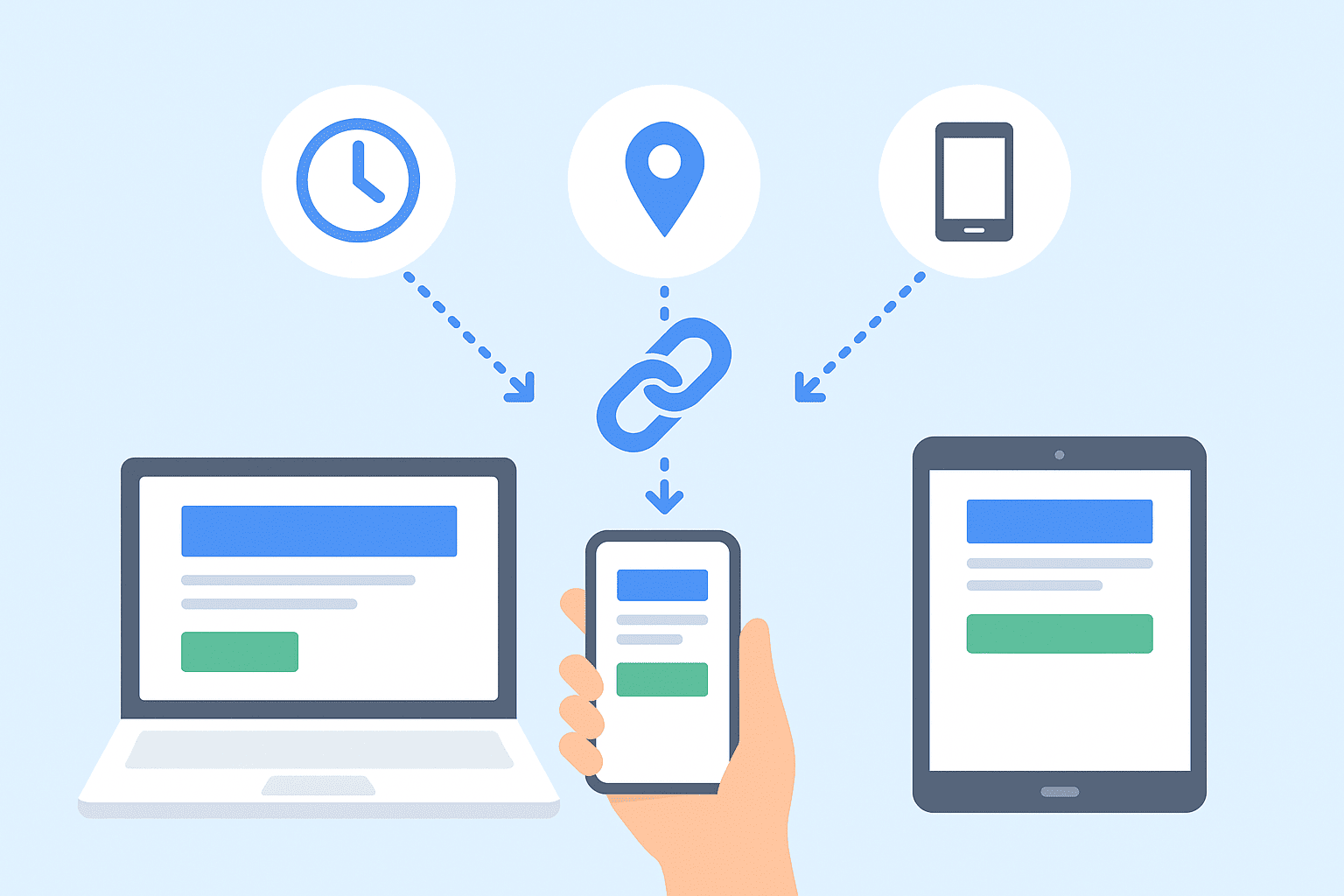
Learn how dynamic links work and how to redirect users based on device, location, or time. Create smart event and campaign links with Shrten.io for better conversions and analytics.
Dynamic Links Explained: How to Redirect Based on Time, Device, or Location
Static short links are great for simple sharing — but modern campaigns demand more intelligence. Dynamic links let you route the same short URL to different destinations depending on context: the visitor’s device, their geographic location, or even the date and time. This lets you run cleaner campaigns, improve conversions, and manage global promotions without juggling multiple URLs.
In this post we’ll explain what dynamic links are, why they matter, practical use cases, and how you can create and measure them using Shrten.io.
What is a Dynamic Link?
A dynamic link is a shortened URL that contains logic on the service side to decide where to send a visitor. Instead of permanently mapping one short link to one long URL, a dynamic link evaluates rules (device type, geolocation, time windows, etc.) and redirects the visitor to the best destination for their context.
Why Use Dynamic Links?
- Simplify campaign management: Use one URL instead of many region- or device-specific links.
- Improve conversions: Send users to the most relevant experience (app store for mobile, web landing page for desktop).
- Serve localized content: Automatically deliver language- or country-specific pages without manual routing.
- Prevent broken campaigns: Time-based rules let you retire expired promotions and avoid outdated pages.
- Consolidate analytics: Track all traffic through a single link while seeing how each rule performs.
Three Main Types of Dynamic Redirects
1. Device-Based Redirects
Device-based redirects detect whether a visitor is on mobile (Android / iOS), tablet, or desktop and send them to an appropriate destination.
Common use cases:
- Send iOS users to the App Store and Android users to Google Play.
- Send desktop users to a rich website and mobile users to a mobile-optimized landing page or app deep link.
- Offer mobile-only deals by routing smartphone visitors to mobile coupon pages.
2. Location-Based Redirects (Geotargeting)
Geotargeting uses the visitor’s IP address (or other signals) to determine their country, region, or city and then redirects accordingly.
Common use cases:
- Send visitors in the U.S. to `example.com/us`, visitors in France to `example.com/fr`, etc.
- Route users to local currency checkout pages or region-specific offers.
- Comply with region-specific legal or regulatory requirements by serving different pages per country.
3. Time-Based Redirects
Time-based redirects change behavior based on a date/time rule or recurring schedule (for example: business hours, promotional windows, or after-event pages).
Common use cases:
- Before a product launch: send to a pre-launch signup page; after launch: send to the product page.
- During a flash sale: route to a discount landing page; when sale ends: redirect to “sale ended” or next offer.
- For events: before event date → registration; during event → live stream; after event → recording or feedback form.
Combining Rules: Device + Location + Time
The real power of dynamic links comes from combining rules. For example:
If visitor is mobile AND country = FR AND date < 2025-12-01
  -> redirect to https://example.com/fr/app-store
Else if device = desktop AND country = US
  -> https://example.com/us/landing
Else
  -> https://example.com/global
That single short link can handle multiple audiences and campaign stages simultaneously. Shrten.io lets you define stacked rules with a clear priority order so the system evaluates them predictably.
How Shrten.io Implements Dynamic Redirects (Overview)
While implementation details vary across platforms, the typical flow is:
- User clicks the short link (e.g., shrten.io/summersale).
- Shrten.io receives the request and inspects request metadata (user-agent, IP address, query parameters, timestamp).
- The platform evaluates any matching redirect rules in priority order (device rules first, then geolocation, or as configured).
- Shrten.io logs the click for analytics, then issues an HTTP redirect (301/302) to the chosen destination.
Step-by-Step: Create a Dynamic Link on Shrten.io
Below is a simple guide you can follow inside the Shrten.io dashboard:
Step 1 — Create a New Link
Log in and click Create New Link. Choose “Dynamic Link” (or “Smart Link”) from the options.
Step 2 — Enter Base URL / Primary Destination
Paste the default long URL (the fallback destination). This is used if no rule matches.
Step 3 — Add Device Rules
Add rules for device-based redirects. Example:
- iOS (iPhone / iPad) → App Store deep link
- Android → Google Play store URL
- Desktop → product landing page
Step 4 — Add Location Rules
Add geolocation rules by country or region. Example:
- Country = FR → https://example.com/fr
- Country = DE → https://example.com/de
- Country = BR → https://example.com/pt-br
Step 5 — Add Time Rules
Configure date/time-based redirects. Example:
- Before 2025-06-01 → earlybird.example.com
- 2025-06-01 through 2025-06-07 → event.live.example.com
- After 2025-06-07 → on-demand.example.com
Step 6 — Set Priority & Fallback
Arrange the order of rules. Shrten.io evaluates from top to bottom — first match wins. Always confirm you have a fallback destination for unmatched requests.
Step 7 — Generate QR Code (optional)
Once the dynamic link is ready, download the auto-generated QR code. The QR encodes the same short URL and benefits from the same dynamic behavior — perfect for printed materials and signage.
Analytics: Measuring Each Rule’s Performance
One major advantage of dynamic links is consolidated analytics. Shrten.io captures each click and stores metadata so you can break down performance by:
- Clicks routed to each rule (e.g., App Store vs. Landing Page)
- Device breakdown (iOS vs. Android vs. Desktop)
- Geographic distribution (country / region)
- Time-series graphs (when clicks happened)
- QR scans vs. direct clicks
Use these insights to adapt your content, re-prioritize rules, or adjust campaign spend.
Practical Examples & Use Cases
App Launch
One short link shared on Spotify, Twitter, or posters can send listeners to the right store depending on their device and show a localized page based on country — all while reporting the total daily installs and referral sources.
Event Promotion
A single event link can send attendees to registration, live stream, or post-event recording depending on the date. Posters with the QR code still work — scans during the event route to the live stream, scans after the event go to a recording or survey.
Global Marketing Campaigns
Run one global ad and use geotargeting rules to route visitors to region-specific landing pages and local currency checkouts, improving relevance and conversions without managing multiple ad creatives for each region.
Best Practices & Considerations
- Keep rules simple and predictable: Complex rule trees are powerful but harder to debug. Start with device → location → time priority unless you have a specific reason to reorder.
- Always have a fallback destination: If no rule matches, send users to a sensible default page.
- Test extensively: Use VPNs, device emulators, and scheduled tests to confirm redirects behave as expected.
- Consider SEO & crawler behavior: Avoid using dynamic redirects for content that should be indexed by search engines. Dynamic links are best for marketing and user experience — not for canonical web pages you want crawled and indexed.
- Respect privacy & local laws: Geolocation uses IP information — follow GDPR and local data rules, and be transparent in your privacy policy.
- Log & monitor: Keep logs of redirect evaluations and errors so you can troubleshoot unexpected behavior quickly.
Technical Notes (For Developers)
If you’re integrating dynamic links with an app or backend, consider these technical details:
- Use proper HTTP redirect codes: 302 for temporary redirects, 301 for permanent moves. Shrten.io lets you choose per-rule if needed.
- Preserve UTM params: Forward query parameters to destination URLs so analytics systems (Google Analytics, Mixpanel) receive campaign attribution.
- Use short TTLs for time rules: When scheduling time-sensitive redirects, ensure caching headers are set appropriately to avoid stale redirects at CDNs.
- Fallback for bots & crawlers: Detect common crawlers (Googlebot) and serve default content if you want the destination to be crawlable. Alternatively, don't use dynamic redirects on pages you want indexed.
How to Monitor & Iterate
1. Launch the dynamic link and monitor Shrten.io analytics for the first 24–72 hours. 2. Check device and location splits to validate assumptions. 3. Adjust rule priorities or destinations if one channel underperforms. 4. Re-run tests after changes and use A/B comparisons (create two dynamic links with different rules) if you want to measure lift.
Conclusion
Dynamic links are a powerful evolution of traditional short links — giving you the flexibility to deliver the right experience to the right user at the right time. Shrten.io makes configuring device, location, and time-based redirects simple, while providing consolidated analytics so you can measure and optimize performance.
Ready to try it? Create your first dynamic link on Shrten.io and see how much smarter your campaigns can be with one flexible URL.